
Viewed-file tracking
Remembers which files you have already read.
Native macOS · GitHub pull requests
Diffs, threads and reviews in one native macOS window, driven entirely from the keyboard.
Free — Pro from CA$4.99/mo, with a 2 weeks free trial
Requires macOS 26 or later.
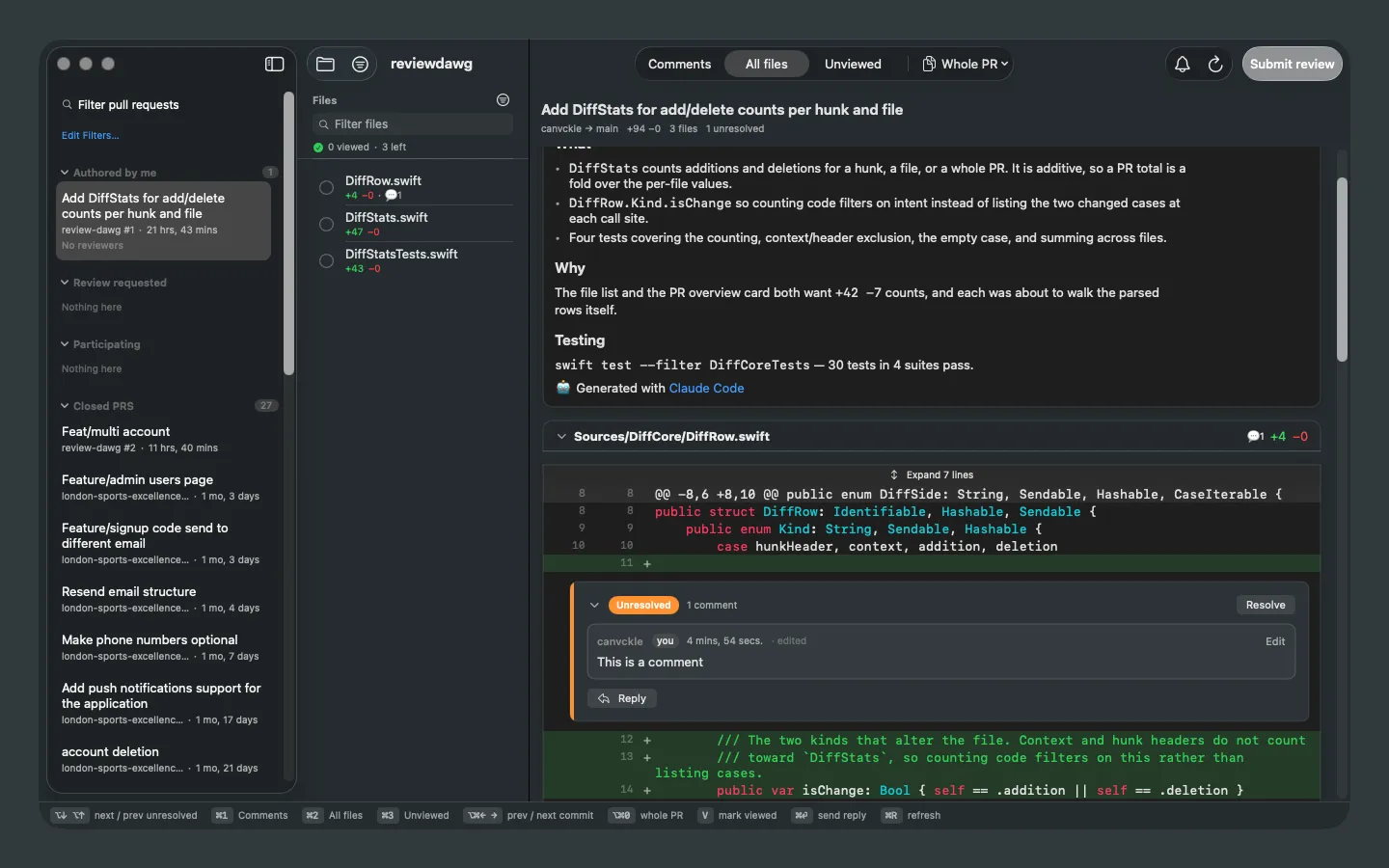
Threads
Comment on any line, reply in a thread, and resolve the conversation without switching windows. Unresolved threads are marked, counted, and reachable with a single keystroke.
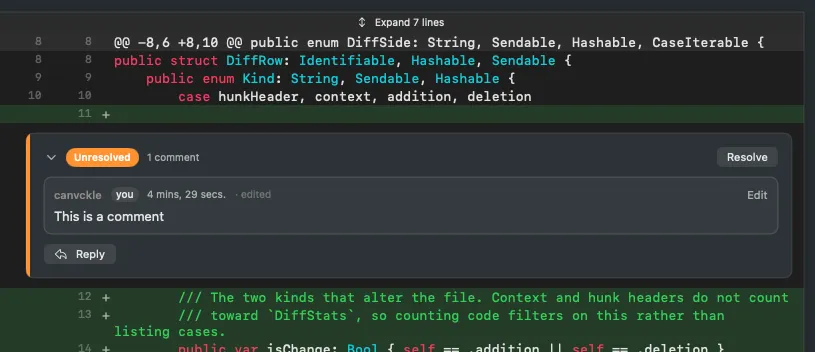
Appearance
Choose the code font and set the colour of keywords, types, strings, comments, numbers and atoms. Anything you leave alone follows the system palette, so it keeps adapting on its own.
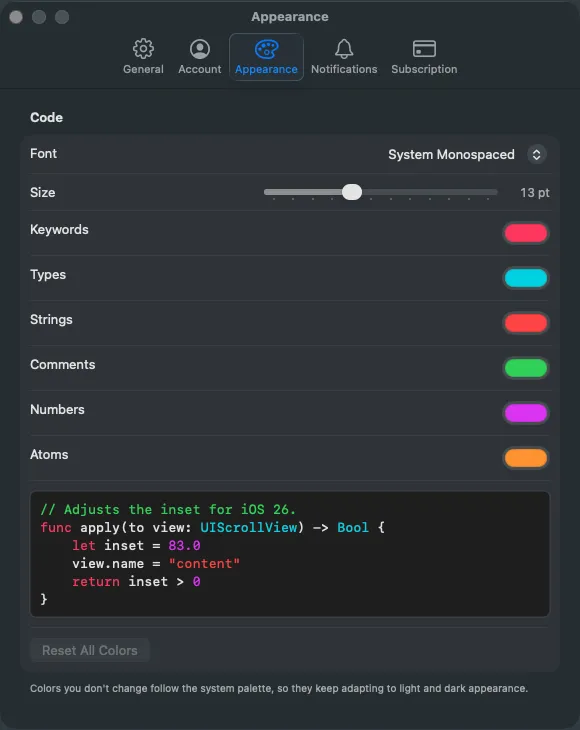
Notifications
Twelve switches decide what reaches the inbox — review requests, mentions, assignments, CI results, threads you are part of. The menu bar carries the unread count and polls in the background.
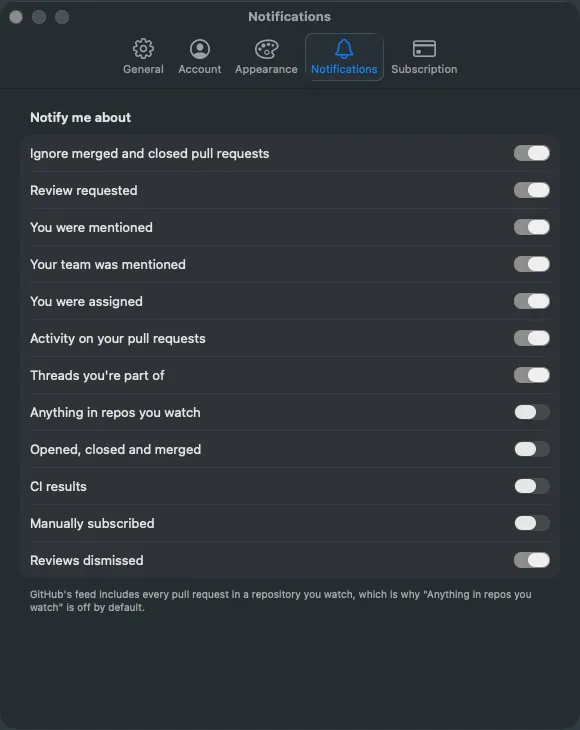
Everything else
Remembers which files you have already read.
Passing and failing counts at a glance.
Syntax highlighting, and context expanded around any hunk.
Step through a pull request one commit at a time.
Your own queue queries, across repositories or a whole org.
Switch between work and personal GitHub in a click.
Built for the keyboard
Jump to the next unresolved thread, switch what the file list shows, mark a file viewed, step to the next commit, send a reply. Every one of them is a keystroke — the same bar sits at the bottom of the app, so nothing here is folklore you have to discover.
Privacy
Your employer's source code is the most sensitive thing on your machine. reviewdawg treats it that way.
The token lives in your login Keychain, under the service com.reviewdawg.github. Signing out deletes it. It never leaves the device except as an Authorization header to GitHub.
reviewdawg contacts api.github.com and github.com to do its job, and apps.apple.com for your subscription. Nothing else is ever reached.
No analytics, no telemetry, no crash reporting, no advertising identifiers, and no third-party SDKs — the app has no third-party dependencies at all.
Pricing
Reading diffs, commenting, resolving threads and submitting reviews cost nothing and always will. Pro adds the things you reach for once reviewing is a daily habit.
$0
No account beyond GitHub. No time limit.
CA$4.99/moCA$39.99/yr
CA$59.88 Save CA$19.89
Starts with a 2 weeks free trial.
Everything in Free, plus:
reviewdawg Pro is an auto-renewing subscription. Payment is charged to your Apple Account at confirmation of purchase. It renews automatically unless turned off at least 24 hours before the end of the current period. Manage or cancel in your Apple Account settings at any time.
macOS 26 or later. reviewdawg is built against the current SDK and uses APIs that do not exist on earlier releases.
No. Signing in through your browser uses GitHub's device flow — reviewdawg shows a short code, you approve it on github.com, and the token GitHub issues is stored for you. If you would rather issue the credential yourself, you can paste a personal access token instead.
GitHub's notifications API accepts classic tokens only. With a fine-grained token reviewdawg switches the inbox and the menu-bar unread count off rather than letting them fail on every poll. Everything else — diffs, threads, comments, reviews, checks — works normally.
An organisation owner has to approve reviewdawg before its repositories appear. Alternatively, connect with a personal access token, which is not subject to OAuth app restrictions.
No. reviewdawg talks to GitHub and to Apple for your subscription, and to nothing else. There is no analytics, no telemetry, and no third-party SDKs. Your credential is stored in your Mac's login Keychain and never leaves the device except as an Authorization header to GitHub.
Manage or cancel the subscription in your Apple Account settings at any time. It renews automatically unless turned off at least 24 hours before the end of the current period.